Expense tracker & budget app for iPhone

What can I
spend
today?

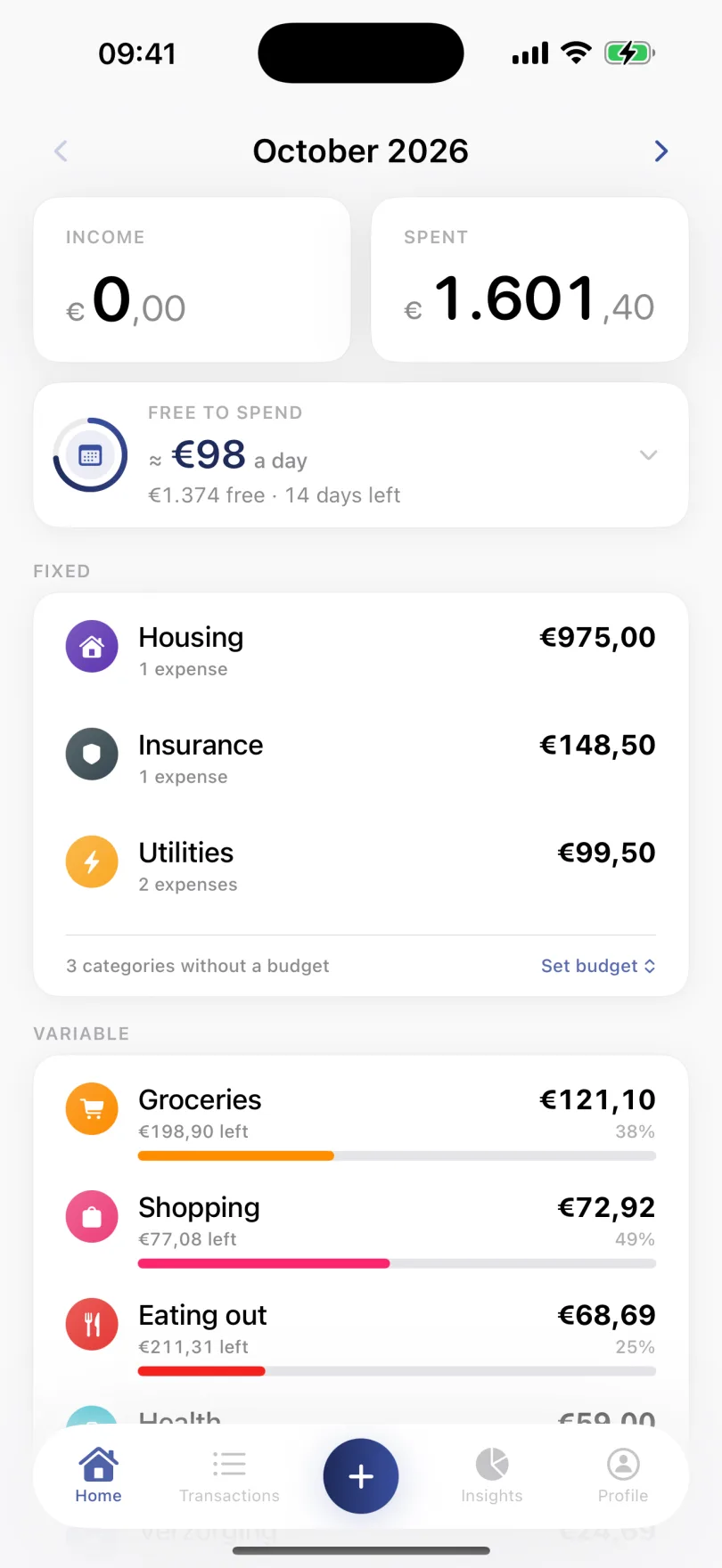
Veyno shows what's free to spend per day until your next salary, with fixed costs already counted. Plus budgets, insights and Smart Add. Free, and no bank connection needed.

Download on the App Store

Free to try · iOS 17+ · No credit card needed

<10s
any expense logged
€/day
free to spend until payday
Private
no bank access needed
Veyno home screen showing about €98 free to spend per day, 14 days before the next salary

Finally, budgeting that doesn't feel like work.

No spreadsheets, no bank connections. Just a clear picture of your month.

Just type. Veyno fills in the rest.

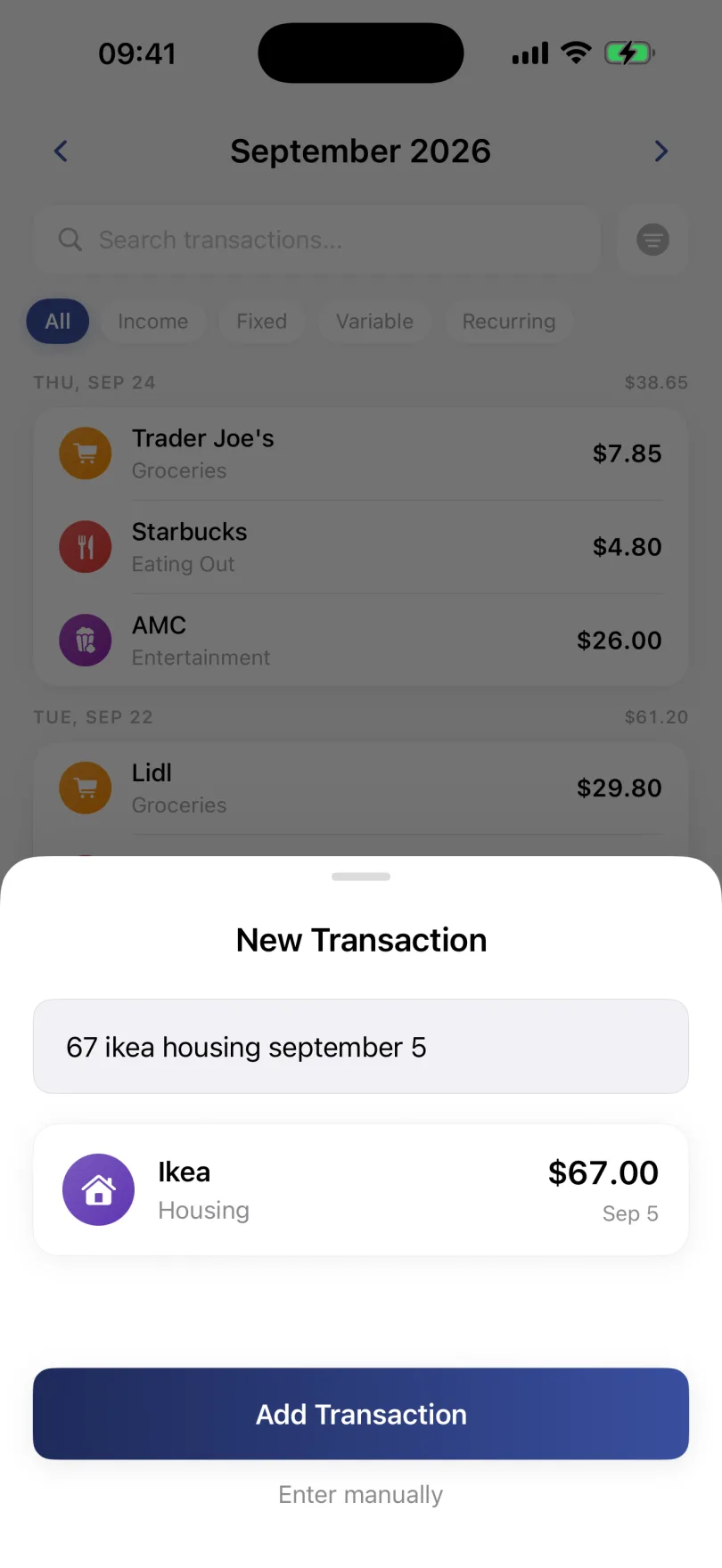
Type one line, like a text to a friend. Veyno picks out the amount, the store, the category and the date, and you save it with one tap. Also from Siri, Control Center or your Lock Screen.

Stay in control of every category

See instantly when you're about to overspend, so you can adjust before it happens.

Understand your spending instantly

See where your money goes without digging through numbers, everything is clear at a glance.

Watch your net worth grow

See everything you own in one clear overview, and track your progress over time.

Your data stays yours

No bank connections and no ads. Your data is stored on your iPhone and in your own account.

App preview
Monthly budget per category with progress bars
Stay in control of every category
Live budget tracking
Smart Add: log an expense by typing one line
Log any expense in under 10 seconds
Smart logging
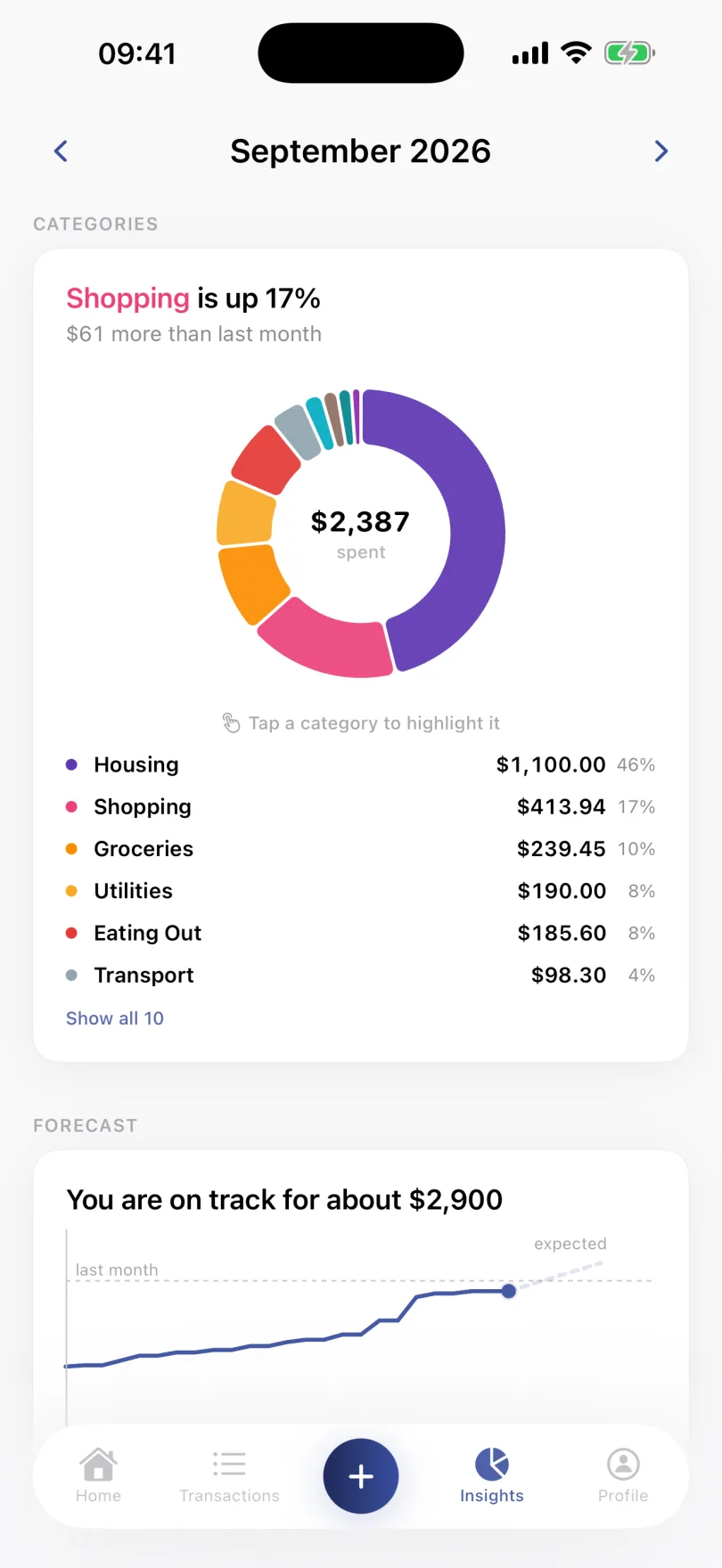
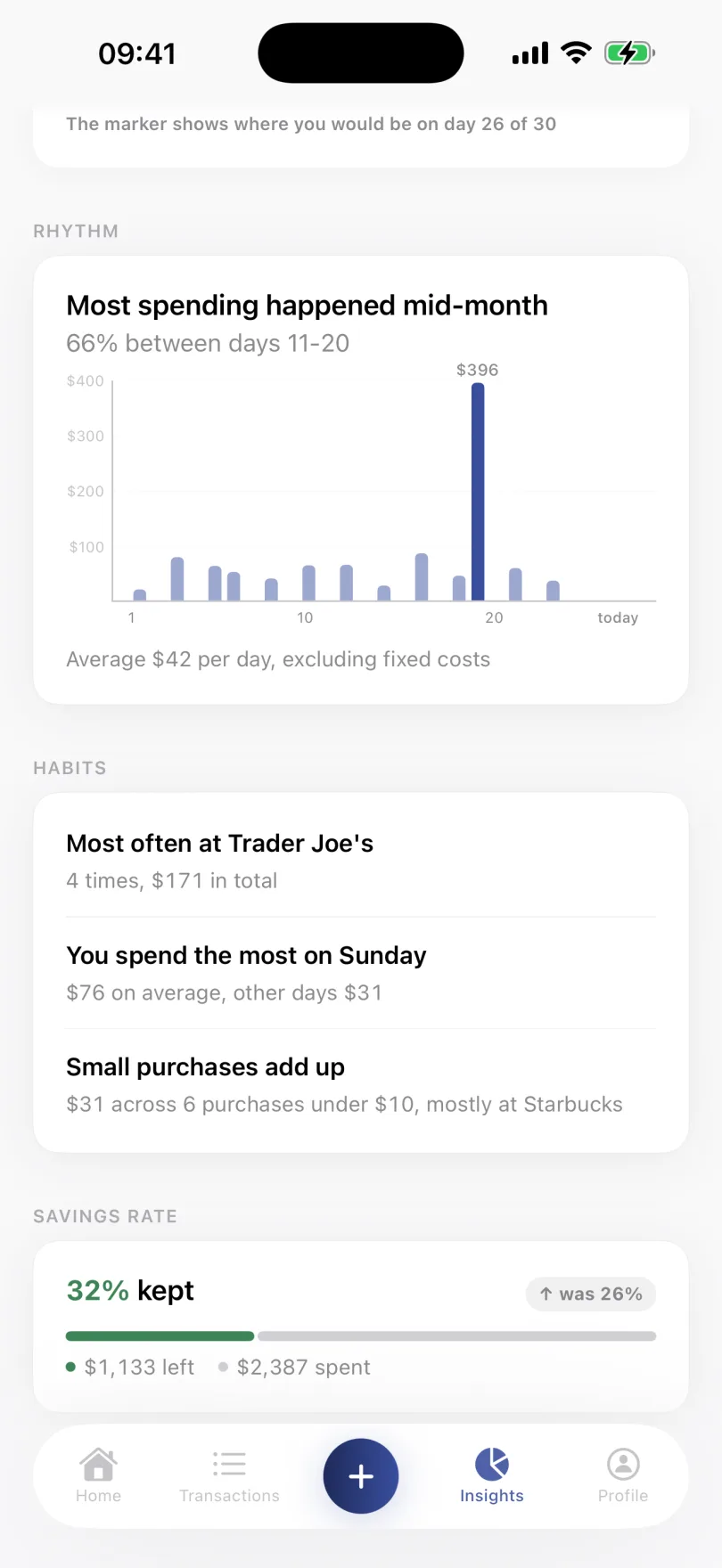
Spending insights with a category chart and month comparison
Understand your spending at a glance
Instant insights
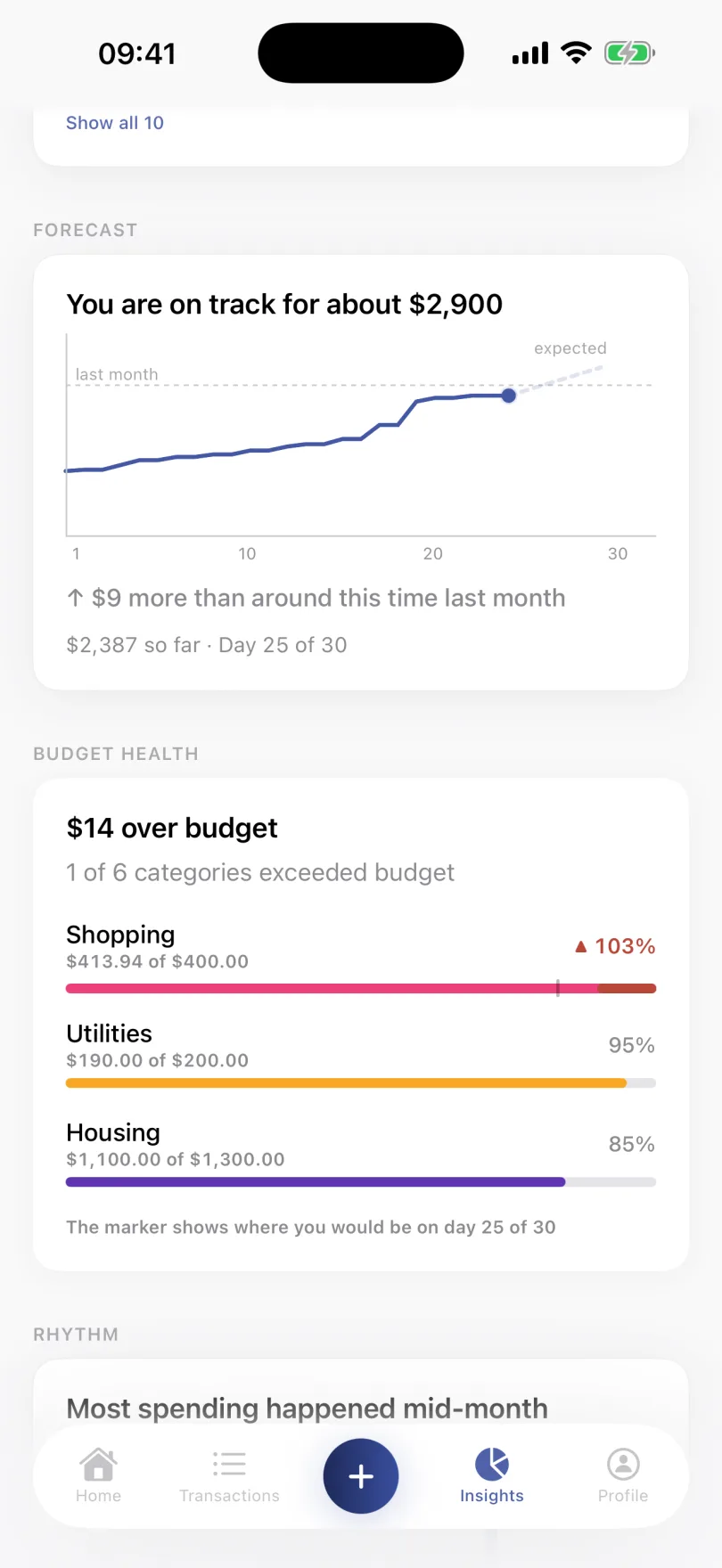
Spending patterns and forecast for the month
Spot patterns you didn't know existed
Spending patterns
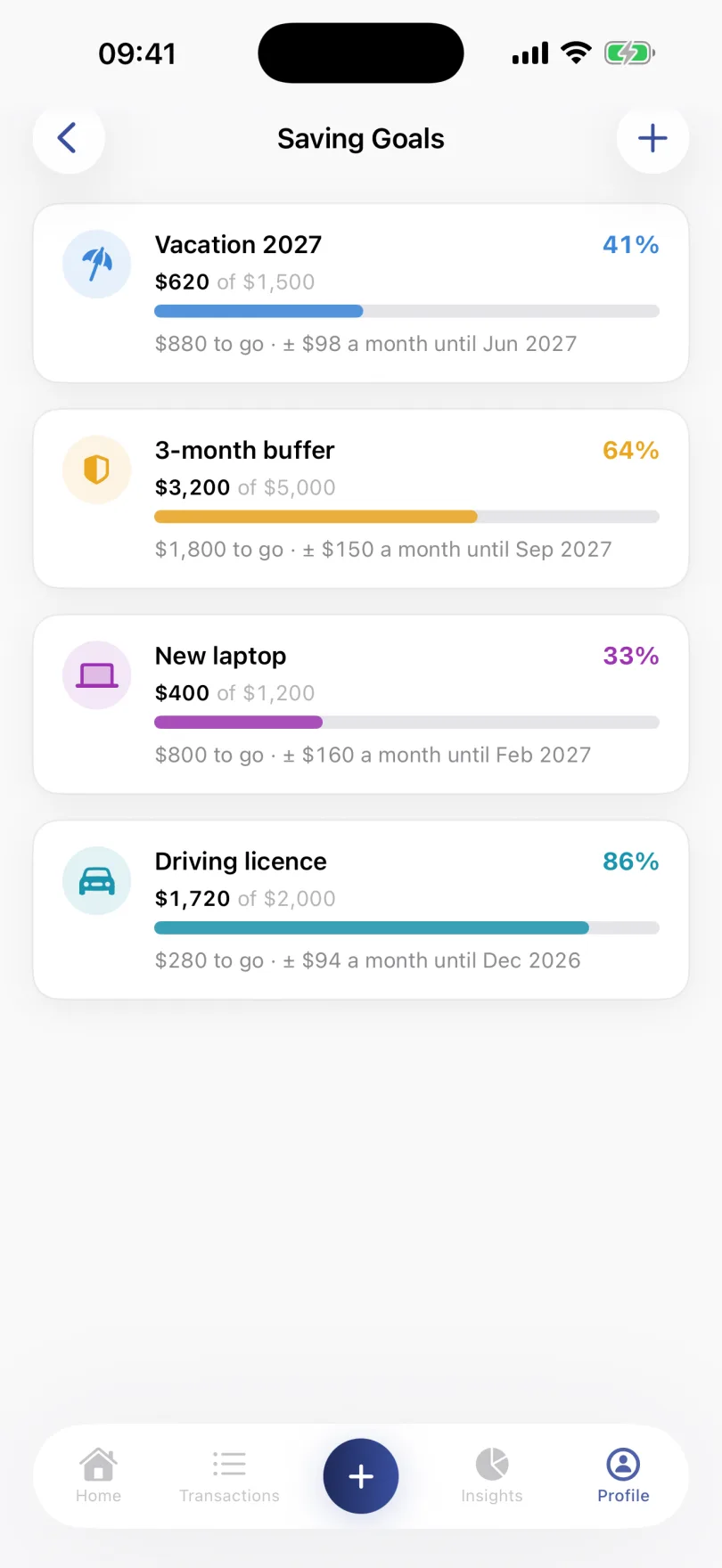
Saving goals and net worth overview
Track net worth and savings goals in one place
Net worth & goals

Simple from day one.

01
Log your first expense

Open Veyno, tap +, fill in the amount, title, category and date. Done in under 10 seconds, your overview updates instantly.

02
Set budgets per category

Set simple monthly limits per category. See progress bars fill up as you spend.

03
Spot patterns you didn't notice

Veyno automatically surfaces where you overspend, your biggest spend days, and growing categories, no manual work needed.

Simple pricing. No surprises.

Start free. Upgrade when you want the full picture.

Free
€0
Always free

Everything you need to start tracking your spending today.

  • Unlimited expenses with default categories
  • What's free to spend per day until payday
  • Monthly budgets per category with live progress
  • Smart Add: type "67 ikea housing", done
  • Your salary plus three recurring transactions
  • No ads. Not now. Not ever.
  • Plus three saving goals, widgets, a daily reminder, this month's net worth, encrypted sync and 10 currencies.
Most popular
Premium
€23,99
per year, that's €2/month

Unlock your net worth trend, deep insights, and full automation.

Monthly
€2,99
per month
Save 33%
Yearly
€23,99
per year
Lifetime
€49,99
one-time
  • Everything in Free, plus:
  • Your net worth trend and full history
  • Insights: forecast, savings rate, habits, daily rhythm, budget health
  • Unlimited recurring income and expenses
  • Custom categories with your own icons
  • Budget alerts and a reminder before every charge
  • Unlimited history, categories & saving goals
  • Export your data as CSV
  • Every future Premium feature, included

14 days free, a reminder before it ends, cancel anytime.

Questions people usually ask.

Short answers to the things worth knowing before you install.

Free & Premium
What's the difference between Free and Premium?
Free covers everything you need to track spending: unlimited transactions, default categories, monthly budgets, the pie chart and last-month comparison in Insights, 3 saving goals, 3 recurring transactions (income and expenses together) plus your salary, with their totals, your net worth for the current month, widgets, and the current + 2 months of history. Premium adds custom categories, all Insights (forecast, savings rate, habits, daily rhythm, budget health), your net worth trend and history, unlimited recurring transactions with a calendar of due days, unlimited saving goals, unlimited history, smart notifications (budget alerts, recurring reminders), and CSV export.
Can I cancel Premium anytime?
Yes. Cancel via Settings → Manage subscriptions in Veyno, or through your Apple ID → Subscriptions. You keep Premium features until the end of your paid period.
What happens to my data if I stop paying Premium?
Nothing is deleted. You revert to the Free tier limits, but your transactions, categories, budgets and Net Worth history all stay intact. Upgrade again anytime to unlock the Premium features.
Is there a free trial for Premium?
Yes. If your Apple ID hasn't had a trial yet, you get 14 days of Premium free on the monthly or yearly plan. Two days before it ends, Veyno reminds you. Cancel before the trial ends and you won't be charged.
Data, sync & privacy
Does Veyno connect to my bank?
No, by design. Veyno is a manual tracker. No open banking, no third-party access. You stay in control of what gets logged, and your bank credentials never touch our servers.
Is my data secure?
Your data is stored on your iPhone and in your own account. It travels encrypted over HTTPS, with certificate pinning so the app only talks to our own server. Other users can't see your data, and we don't sell or share it.
Does Veyno work offline?
Partly. What's already on your iPhone can be viewed without internet. Adding, editing and deleting need a connection, because everything is saved to your account first. That way nothing gets lost.
Can I use Veyno on multiple devices?
Veyno is made for iPhone. Sign in on another iPhone with the same account (email or Sign in with Apple) and your data is there right away.
Which currencies does Veyno support?
Euro, US, Canadian and Australian dollar, British pound, Japanese yen, Indian rupee, Swiss franc, and Swedish and Norwegian krona. Pick your currency in Settings, it's used everywhere in the app.
Features
How does Smart Add know the category?
Type naturally, e.g. "67 ikea 20 jun", or say it to Siri. Veyno recognises common merchants (Netflix, Jumbo, NS) and Dutch, English and German keywords, and picks the best category. If it's wrong, tap the category tile to change it before saving.
Can I export my data?
Yes, Premium users can export every transaction as a CSV via Settings → Data → Export data. Great for spreadsheets, tax time or an extra backup.

Platform
Is Veyno available on Android?
Not currently. Veyno is built specifically for iOS to take full advantage of Apple's privacy model and native design. If there's enough demand we'll reconsider, let us know if you'd want it.

See what's free
to spend today.

Download Veyno on the App Store, free to try, premium features when you're ready.

Download on the App Store

Free to try · iOS 17+ · No credit card needed